EnMAP-Box Documentation
The EnMAP-Box is Python plugin for QGIS, to process, visualize and analyze mulit- and hyperspectral remote sensing data.
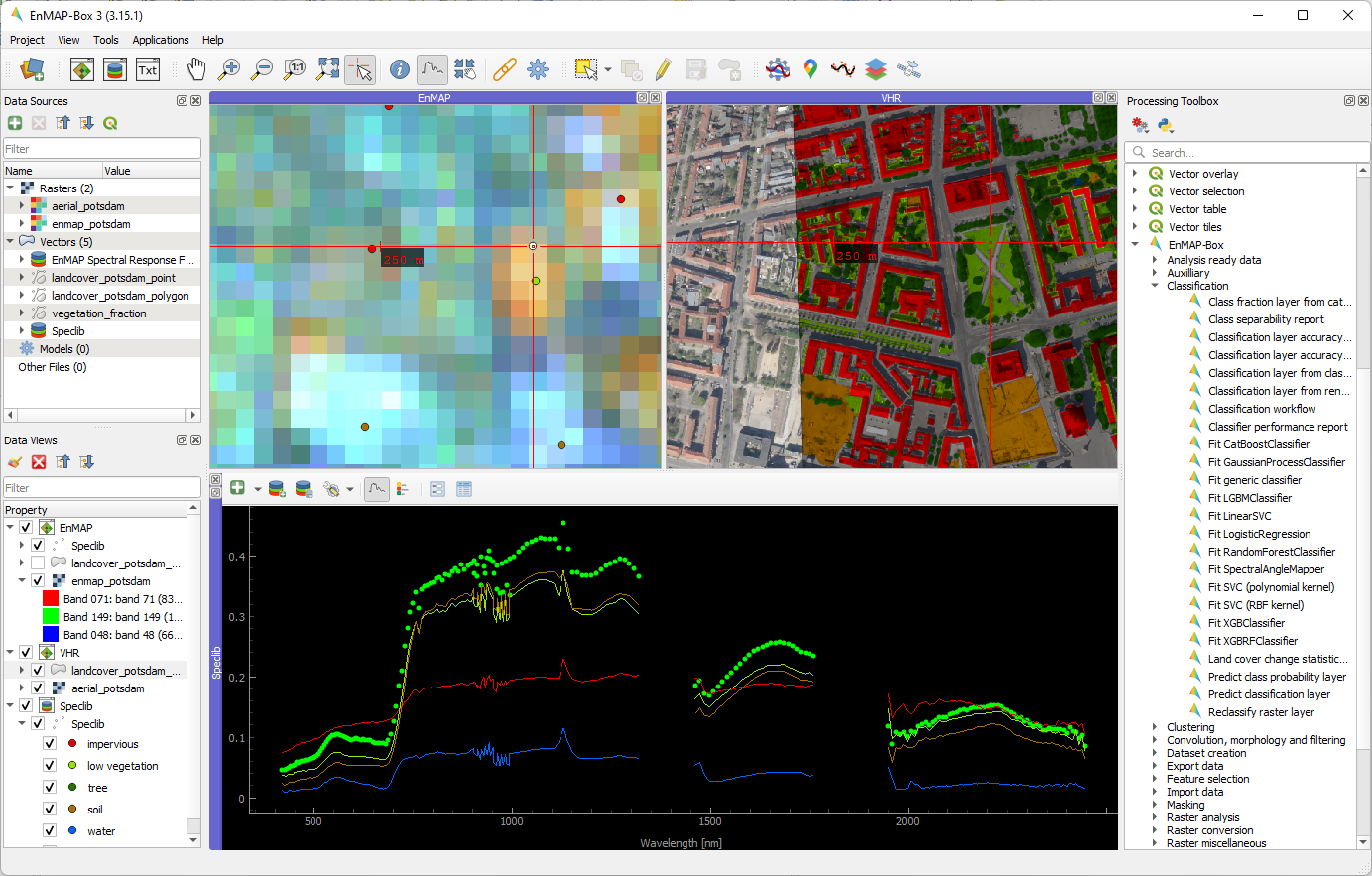
Fig. 1 Graphical user interface of the EnMAP-Box
Visit our overview on EnMAP-Box features and get going with the Installation and Getting Started chapters. Have a look at the Cookbook for usage examples!
News
Upcoming Events
Title |
Date |
Location |
Comments |
|---|---|---|---|
Release of EnMAP-Box 3.17 |
Oct 2025 |
This will be the last EnMAP-Box version running on QGIS 3.* |
|
29.09. - 03.10. 2025 |
Riga, Latvia |
EnMAP-Box live demo, Oct2, 12:35-12:55, Demo Area |
Workshop Multi-Source Remote Sensing for Agriculture
16. Sep 2025
On 10. September, the EnMAP-Box was presented in a Hand-on tutorial on the Multi-Source Remote Sensing for Agriculture: Workshop on Advanced Earth Observation, Machine Learning and Artificial Intelligence in Agricultural Applications. The workshop was organized by the ZALF in Müncheberg, Germany. The participants learned how to use the EnMAP-Box to visualize hyper- and multispectral raster data together with spectral profiles from field measurements.
Living Planet Symposium 2025
09. July 2025
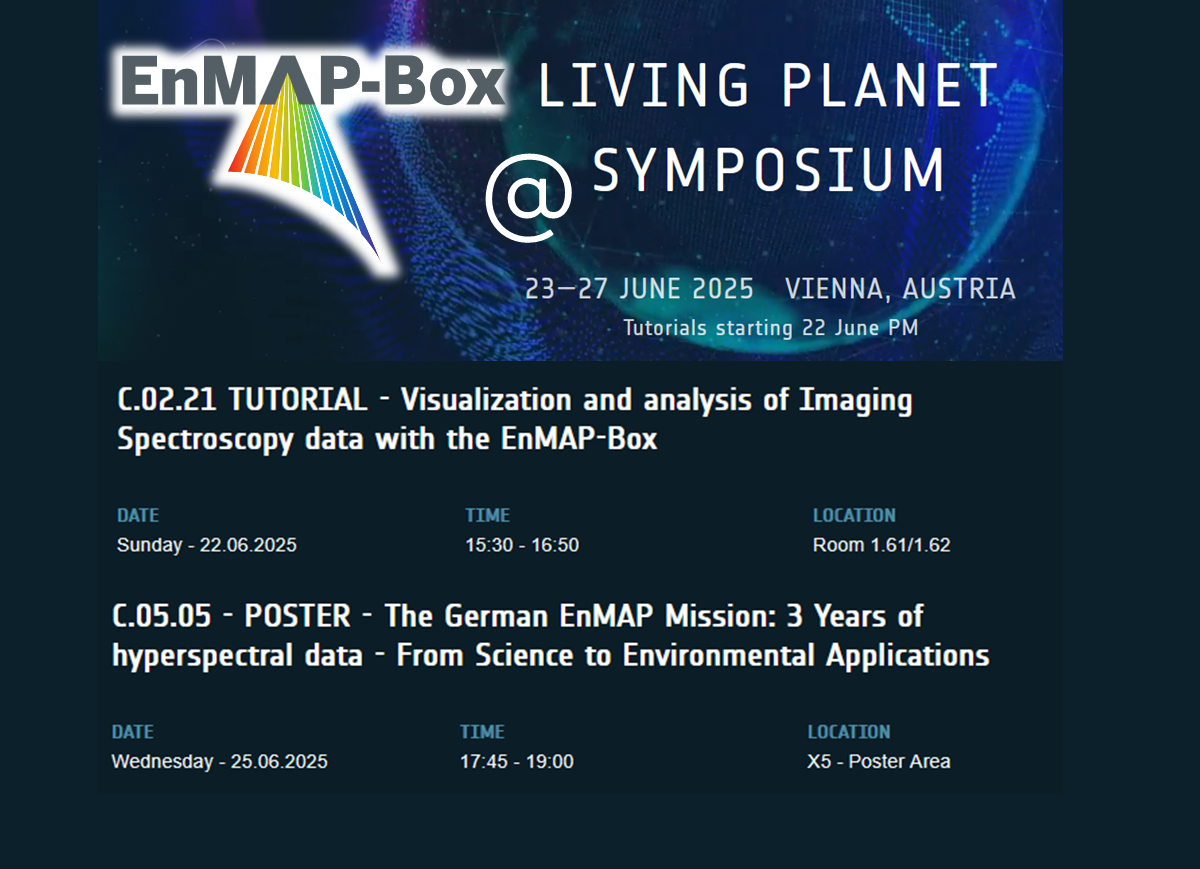
At the Living Planet Symposium 2025 in Vienna, Austria (22–27 July), participants had the opportunity to explore the capabilities of the EnMAP-Box. They engaged with us through a tutorial session and by visiting the latest EnMAP-Box poster: We enjoyed connecting with many EnMAP-Box users in person. It was especially exciting to see the high interest for our brand-new EnMAP-Box stickers!

2nd EnMAP User Workshop
14. April 2025
The 2nd EnMAP User Workshop took place from April 2-4, 2025 in in Munich. Here, the EnMAP-Box was presented, and participants could join an Introduction to the EnMAP-Box workshop.
EnMAP Webinar
31. January 2025
More than 100 participants joined the EnMAP - Webinar on the application and Commercialisation potential in which the EnMAP-Box was demonstrated as well.
Older news …
New tutorial: EnMAP-Box in High Performance Computing environments
January 2024
We just published our newest application tutorial “EnMAP-Box in High Performance Computing (HPC) environments”
The tutorial shows how you can:
install the EnMAP-Box on Linux servers
start and use QGIS/EnMAP-Box on HPC systems
process data using QGIS processing algorithms and processing models, that you may have been previously created with the QGIS Model Designer
use the SLURM workload manager to schedule, run and monitor processing jobs
Hyperspectral 2024 / WICSIS
November 2024
The EnMAP-Box was presented at the 3rd Workshop on International Cooperation in Spaceborne Imaging Spectroscopy (WICSIS, 13.-15. September) at ESA-ESTEC in Noordwijk, Netherlands. The workshop participants got the opportunity to visit a training day on September 12th, on which they learned how to access EnMAP data and how to use the EnMAP-Box.
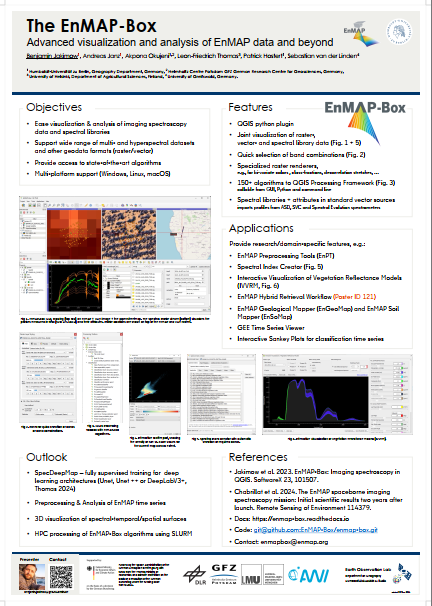
Here is the newest EnMAP-Box poster:
QGIS User Conference 2024
September 2024
From September 9-10, the QGIS User Conference 2024 (https://uc2024.qgis.sk/) took place in the beautiful city of Bratislava, Slovakia. The EnMAP box was also presented there with the talk Beyond the NDVI: Hyperspectral remote sensing in QGIS with the EnMAP Box.
13th EARSeL Workshop on Imaging Spectroscopy

April 2024
The EnMAP-Box will be presented at the 13th EARSeL Workshop on Imaging Spectroscopy from 16.-18. April 2024 in València.
Don’t miss:
What’s New in the EnMAP-Box? Visualization and Analysis of EnMAP Data for Everyone (Wed 17.04. 16:00-17:15, Session 2-11, ADAIT Room 1.1-1.2)
Towards Informed Default Parametrizations of Machine Learning Algorithms for Biophysical Variable Retrieval in the EnMAP-Box (Wed 17.04. 10:30-12:00, Session 2-4, ADAIT Assembly hall)
Deep Learning based Semantic Segmentation for EnMAP-Box (Thu 18.04. 12:00-13:00, Poster Session, ADAIT Room 0.1)
EnMAP-Box Tutorial https://is.earsel.org/workshop/13-IS-Valencia2024/enmap-box/ (Fri 19.04. Image Processing Laboratory (IPL) of the University of Valencia)
FOSSGIS 2024 Hamburg
March 2024
On 23. March the EnMAP-Box was presented at FOSSGIS 2024 in Hamburg, Germany: https://pretalx.com/fossgis2024/talk/RPUBQR/
QGIS UC 2024 and QGIS Open Day
May 2023
Following the QGIS User and Developer Meeting 2023 in s’Hertogenbosh, Netherlands (https://uc2023.qgis.nl/), Kartoza <https://kartoza.com/> asked us if we can repeat our presentation on Imaging spectroscopy data in QGIS: Challenges and Opportunities for the the QGIS Open Day. Here is the recording:
FOSSGIS 2023 Berlin
March 2023
The EnMAP-Box will be present at the FOSSGIS with a demosession: Visualisierung und Analyse von Satellitenbildern mit der EnMAP-Box (https://pretalx.com/fossgis2023/talk/9WAMJ9/)
Looking forward meeting you there!
UPDATE - Here is the recording of the presentation:
EnMAP-Box Version 3.11 released
Oct. 10, 2022
A new EnMAP-Box version has been released. A list of all improvements can be found in the changelog.
EnMAP-Box Version 3.10 released
June 09, 2022
A new EnMAP-Box version has been released. A list of all improvements can be found in the changelog.
EnMAP-Box Version 3.9 released
Oct. 10, 2021
A new EnMAP-Box version has been released. A list of all improvements can be found in the changelog.
EnMAP-Box Workshop 2021
June 07, 2021
The next EnMAP-Box workshop will be held online on 21-23 June, 2021. The workshop aims to demonstrate the current state of the EnMAP-Box by way of presentations, live demos with Q&A and self-paced tutorials. Registration for up to 250 participants is now open at the workshop website.
FOSSGIS 2021 Rapperswil
June 09, 2021
Benjamin Jakimow presented how to use Spectral Libraries in QGIS using the EnMAP-Box (german).
EnMAP-Box Version 3.7 released
Oct. 27, 2020
A new EnMAP-Box version has been released. It includes product readers for EnMAP L1B, L2C and L2A, PRISMA L2D and DESIS L2A images, and a first version of Spectral Math in the QGIS Expression Builder. A list of all improvements can be found in the changelog.
FOSSGIS 2020
Andreas Rabe presented the EnMAP-Box at the FOSSGIS 2020 in Freiburg. See the full live-demo session here (german):
QGIS User Conference 2019
Two Presentations by EnMAP-Box developers Andreas Rabe and Benjamin Jakimow at the QGIS User conference in Coruña
General
- About
- Features
- News
- Upcoming Events
- Workshop Multi-Source Remote Sensing for Agriculture
- Living Planet Symposium 2025
- 2nd EnMAP User Workshop
- EnMAP Webinar
- Older news …
- New tutorial: EnMAP-Box in High Performance Computing environments
- Hyperspectral 2024 / WICSIS
- QGIS User Conference 2024
- 13th EARSeL Workshop on Imaging Spectroscopy
- FOSSGIS 2024 Hamburg
- QGIS UC 2024 and QGIS Open Day
- FOSSGIS 2023 Berlin
- EnMAP-Box Version 3.11 released
- EnMAP-Box Version 3.10 released
- EnMAP-Box Version 3.9 released
- EnMAP-Box Workshop 2021
- FOSSGIS 2021 Rapperswil
- EnMAP-Box Version 3.7 released
- FOSSGIS 2020
- QGIS User Conference 2019
- Contribute
- FAQ & Troubleshooting
- Roadmap
- Glossary
- Data Access
User Section
- Installation
- Getting Started
- Cookbook
- User Manual
- GUI
- Tools
- Add Product
- Add Web Map Services (WMS)
- Band Statistics
- Bivariate Color Raster Renderer
- Class Fraction/Probability Renderer and Statistics
- Classification Statistics
- CMYK Color Raster Renderer
- Color Space Explorer
- Decorrelation Stretch Renderer
- Enhanced Multiband Color Renderer
- HSV Color Raster Renderer
- Image Cube
- Metadata Viewer
- Multisource Multiband Color Raster Renderer
- Raster Layer Styling
- Raster Source Band Properties Editor
- Reclassify
- Scatter Plot
- Virtual Raster Builder
- Applications
- Agricultural Applications
- Classification Dataset Manager
- Classification workflow
- Classification Workflow (advanced)
- Classification Workflow (deprecated)
- EO Time Series Viewer
- EnPT (EnMAP Processing Tool)
- GFZ EnGeoMAP
- Image Math (deprecated)
- Raster math
- Regression Dataset Manager
- Regression Workflow (deprecated)
- Spectral Index Creator
- Earth Observation for QGIS (EO4Q)
- Example Data
- Processing Algorithms
- Usage
- Algorithms
- Analysis ready data
- Auxilliary
- Classification
- Class fraction layer from categorized layer
- Class separability report
- Classification layer accuracy and area report (for stratified random sampling)
- Classification layer accuracy report
- Classification layer from class probability/fraction layer
- Classification layer from rendered image
- Classification workflow
- Classifier performance report
- Fit CatBoostClassifier
- Fit GaussianProcessClassifier
- Fit generic classifier
- Fit LGBMClassifier
- Fit LinearSVC
- Fit LogisticRegression
- Fit RandomForestClassifier
- Fit SpectralAngleMapper
- Fit SVC (polynomial kernel)
- Fit SVC (RBF kernel)
- Fit XGBClassifier
- Fit XGBRFClassifier
- Land cover change statistics report
- Predict class probability layer
- Predict classification layer
- Reclassify raster layer
- Clustering
- Convolution, morphology and filtering
- Spatial convolution Airy Disk filter
- Spatial convolution Box filter
- Spatial convolution custom filter
- Spatial convolution Gaussian filter
- Spatial convolution Moffat filter
- Spatial convolution Ricker Wavelet filter
- Spatial convolution ring filter
- Spatial convolution Savitsky-Golay filter
- Spatial convolution Top-Hat filter
- Spatial convolution Trapezoid filter
- Spatial Gaussian Gradient Magnitude filter
- Spatial generic filter
- Spatial Laplace filter
- Spatial Maximum filter
- Spatial Median filter
- Spatial Minimum filter
- Spatial morphological Binary Closing filter
- Spatial morphological Binary Dilation filter
- Spatial morphological Binary Erosion filter
- Spatial morphological Binary Fill Holes filter
- Spatial morphological Binary Opening filter
- Spatial morphological Binary Propagation filter
- Spatial morphological Black Top-Hat filter
- Spatial morphological Gradient filter
- Spatial morphological Grey Dilation filter
- Spatial morphological Grey Erosion filter
- Spatial morphological Grey Opening filter
- Spatial morphological Laplace filter
- Spatial morphological White Top-Hat filter
- Spatial Percentile filter
- Spatial Prewitt filter
- Spatial Sobel filter
- Spectral convolution Box filter
- Spectral convolution Gaussian filter
- Spectral convolution Ricker Wavelet filter
- Spectral convolution Savitsky-Golay filter
- Spectral convolution Trapezoid filter
- Dataset creation
- Create classification dataset (from categorized raster layer and feature raster)
- Create classification dataset (from categorized spectral library)
- Create classification dataset (from categorized vector layer and feature raster)
- Create classification dataset (from categorized vector layer with attribute table)
- Create classification dataset (from JSON file)
- Create classification dataset (from Python code)
- Create classification dataset (from table with categories and feature fields)
- Create classification dataset (from text files)
- Create regression dataset (from continuous-valued raster layer and feature raster)
- Create regression dataset (from continuous-valued spectral library)
- Create regression dataset (from continuous-valued vector layer and feature raster)
- Create regression dataset (from continuous-valued vector layer with attribute table)
- Create regression dataset (from JSON file)
- Create regression dataset (from Python code)
- Create regression dataset (from table with target and feature fields)
- Create regression dataset (from text files)
- Create regression dataset (SynthMix from classification dataset)
- Create unsupervised dataset (from feature raster)
- Create unsupervised dataset (from JSON file)
- Create unsupervised dataset (from Python code)
- Create unsupervised dataset (from spectral library)
- Create unsupervised dataset (from text file)
- Create unsupervised dataset (from vector layer with attribute table)
- Export classification/regression dataset (to text files)
- Merge classification datasets
- Random samples from classification dataset
- Random samples from regression dataset
- Select features from dataset
- Export data
- Feature selection
- Import data
- Import DESIS L1B product
- Import DESIS L1C product
- Import DESIS L2A product
- Import EMIT L2A product
- Import EnMAP L1B product
- Import EnMAP L1C product
- Import EnMAP L2A product
- Import Landsat L2 product
- Import Planet Scope L1/L3 product
- Import PRISMA L1 product
- Import PRISMA L2B product
- Import PRISMA L2C product
- Import PRISMA L2D product
- Import Sentinel-2 L2A product
- Import USGS Spectral Library Version 7
- Masking
- Raster analysis
- Raster conversion
- Raster miscellaneous
- Raster projections
- Regression
- Fit CatBoostRegressor
- Fit GaussianProcessRegressor
- Fit generic regressor
- Fit KernelRidge
- Fit LGBMRegressor
- Fit LinearRegression
- Fit LinearSVR
- Fit PLSRegression
- Fit RandomForestRegressor
- Fit SVR (polynomial kernel)
- Fit SVR (RBF kernel)
- Fit XGBRegressor
- Fit XGBRFRegressor
- Predict regression layer
- Receiver operating characteristic (ROC) and detection error tradeoff (DET) curves
- Regression layer accuracy report
- Regression workflow
- Regressor performance report
- Spectral Index Optimizer
- Spectral Library
- Spectral resampling
- Spectral resampling (to custom sensor)
- Spectral resampling (to DESIS)
- Spectral resampling (to EMIT)
- Spectral resampling (to EnMAP)
- Spectral resampling (to Landsat 4/5 TM)
- Spectral resampling (to Landsat 7 ETM+)
- Spectral resampling (to Landsat 8/9 OLI)
- Spectral resampling (to PRISMA)
- Spectral resampling (to response function library)
- Spectral resampling (to Sentinel-2A MSI)
- Spectral resampling (to Sentinel-2B MSI)
- Spectral resampling (to wavelength)
- Spectral resampling (to wavelength and FWHM)
- Transformation
- Unmixing
- Vector conversion
- Vector creation
- Metadata Guide
- Application Tutorials
- 1. Regression-based unmixing of urban land cover
- 2. Regression-based mapping of forest aboveground biomass
- 3. Ocean Colour analysis with ONNS
- 4. EnGeoMAP 3.2 Manual
- 5. EnSoMap - Tutorial
- 6. Spectral Libraries
- 7. HPC environments / SLURM
- 8. Spectral Imaging Deep Learning Mapper (SpecDeepMap): A Tutorial for Semantic Segmentation
- 9. Manual Retrieval of Vegetation Variables using IVVRM
- 10. SIO and DASF for N Estimation
- 11. EnPT
Developer Section
- Installation
- EnMAP-Box repository
- Build and publish the EnMAP-Box
- Cookbook
- Tutorials
- Create EnMAP-Box Applications
- 1. Implementing Processing Algorithms
- 2. Graphical User Interfaces
- RFC
- Documentation Guidelines
- EnMAP-Box Icons